Owners
One place for everything done to your yacht, sail or motor. See what is due, what it cost, and hand a complete history to the next owner.
Seakindly by Voyage & Keel
The maintenance app for sailing and motor yachts. Log a job in a minute, see what is due before it becomes a problem, and build a service history, signed off by the people who did the work, that goes with the yacht when she is sold.
Free to start. Phone, tablet and computer. No download needed.
Why Seakindly
For most yachts it is spread around: receipts in a drawer, a logbook on board, a spreadsheet nobody has updated since spring, and the rest in the head of an engineer who has moved on.
That costs money twice. Jobs get missed or done twice while she is yours, and when you come to sell, a buyer and their surveyor have little to go on, so they assume the worst.
Seakindly keeps all of it in one place, on your phone, shared with the people who look after her, and ready to hand to the next owner.
Who it is for
One place for everything done to your yacht, sail or motor. See what is due, what it cost, and hand a complete history to the next owner.
Run the maintenance schedule by engine hours or by date, keep the defect list and checklists, and send the owner a clear report in a minute.
Log your work on the yacht from your phone, part numbers included, and have the job signed off on the spot. You see the yacht, not the owner's other bills.
A clean, dated record of every service, with who did it, makes a yacht easier to judge, to survey and to sell.
What it does
Jobs
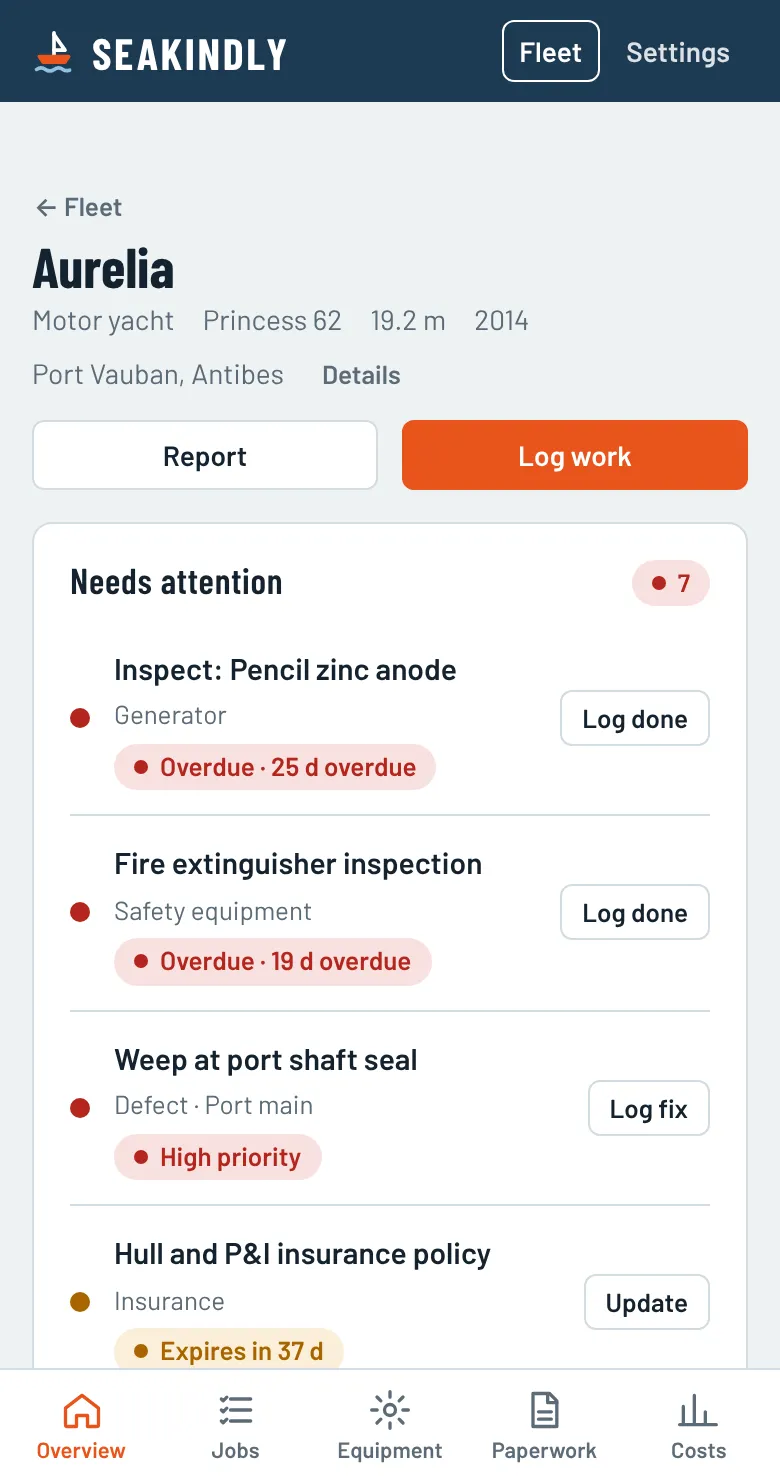
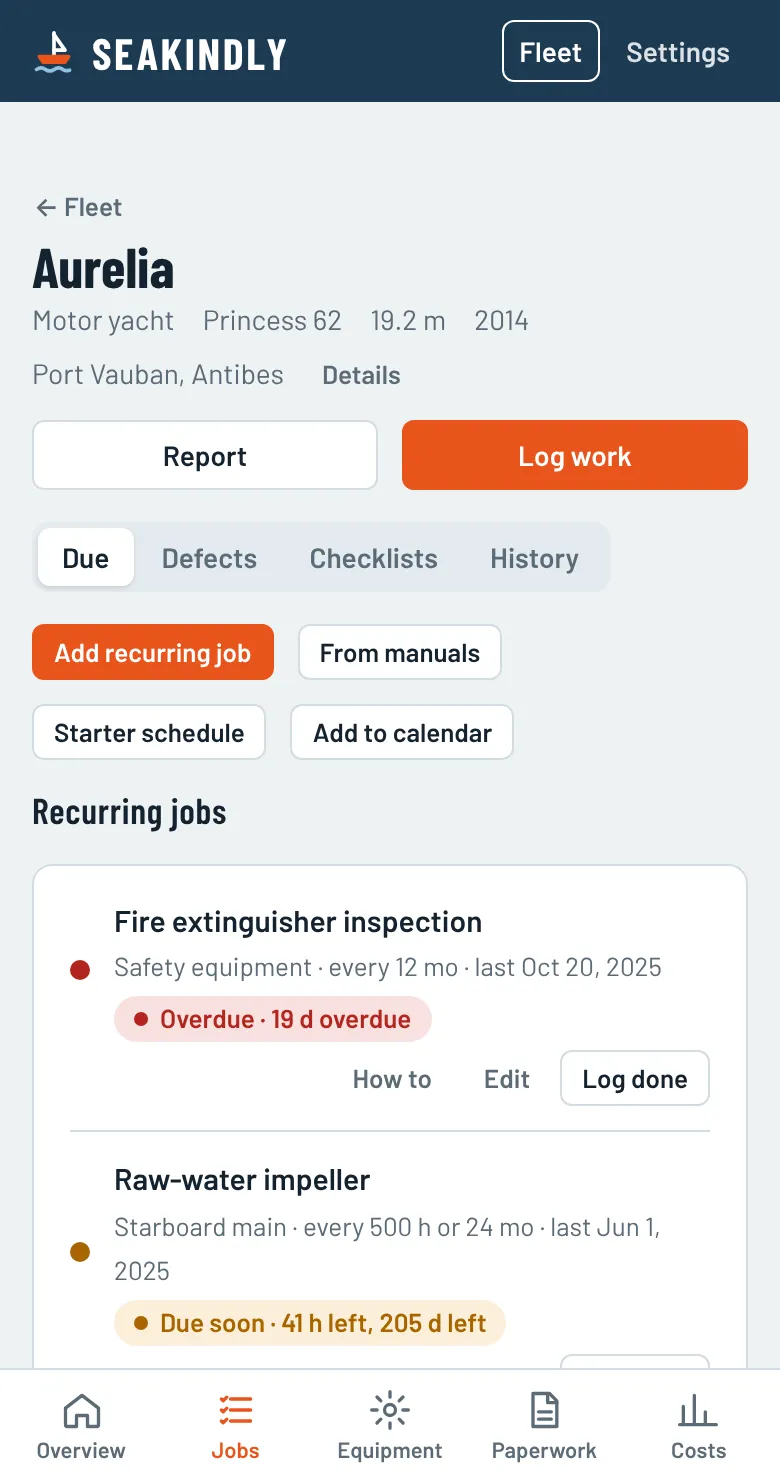
Every recurring job counts down by engine hours, by months, or both. Overdue work turns red on the first screen you open, so nothing quietly slips past a season.
Equipment & parts
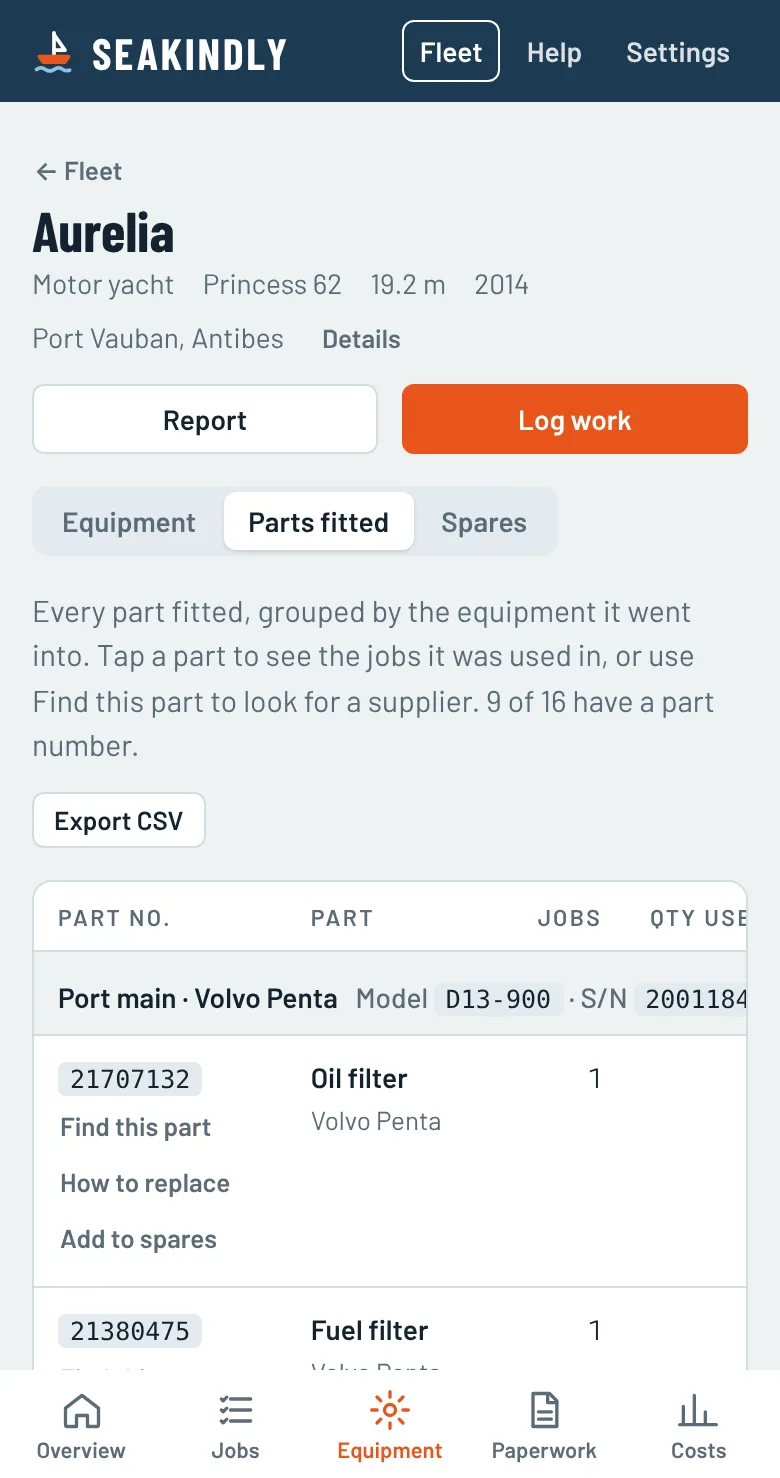
Add the engines, generator, watermaker, winches, sails and electronics with their model and serial number. Each job records the parts fitted, so the right filter or impeller is one tap away next time.
Defects & checklists
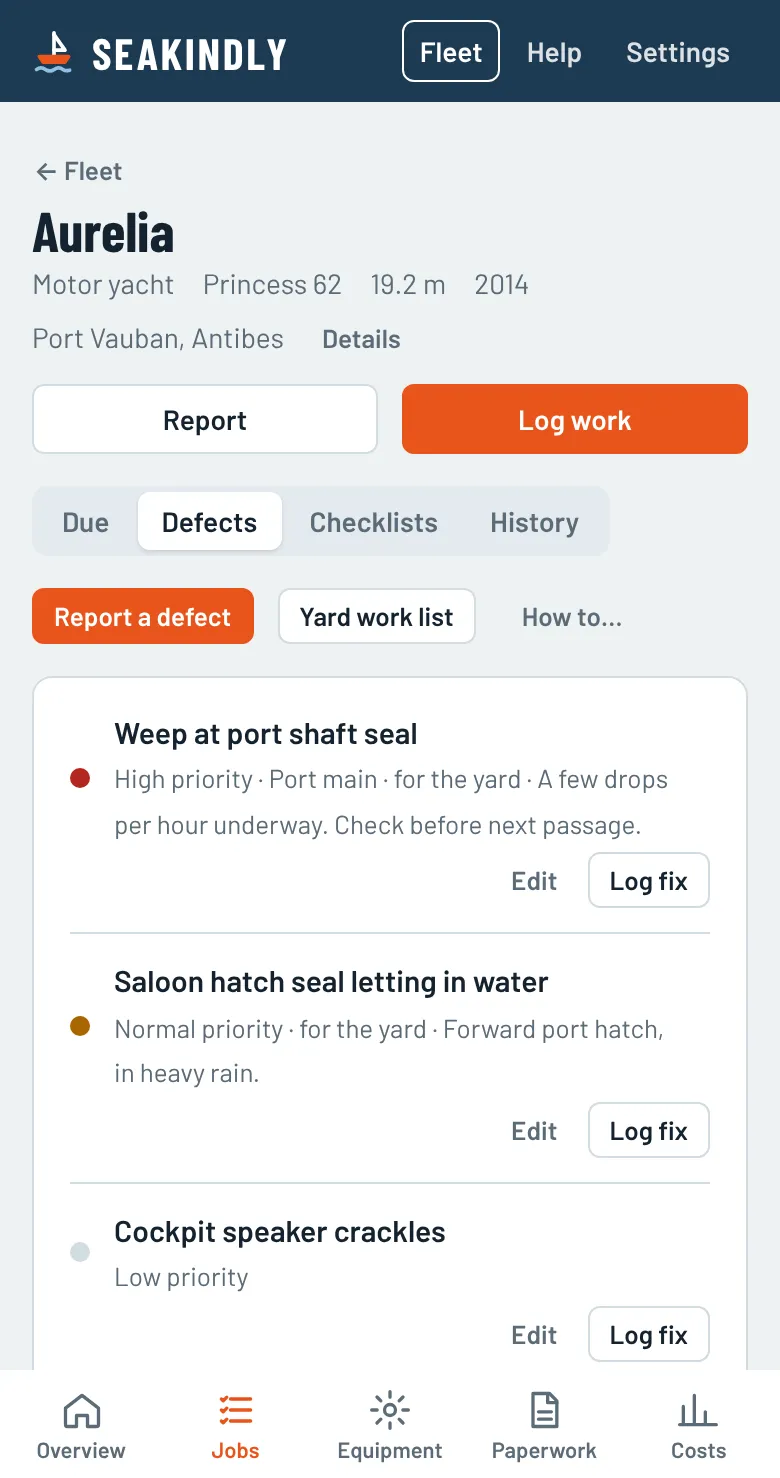
Note a defect with a photo the moment you spot it. Run departure, engine-room and winterising checklists. When the yard visit comes, send one tidy work list with serial and part numbers for quotes.
Paperwork
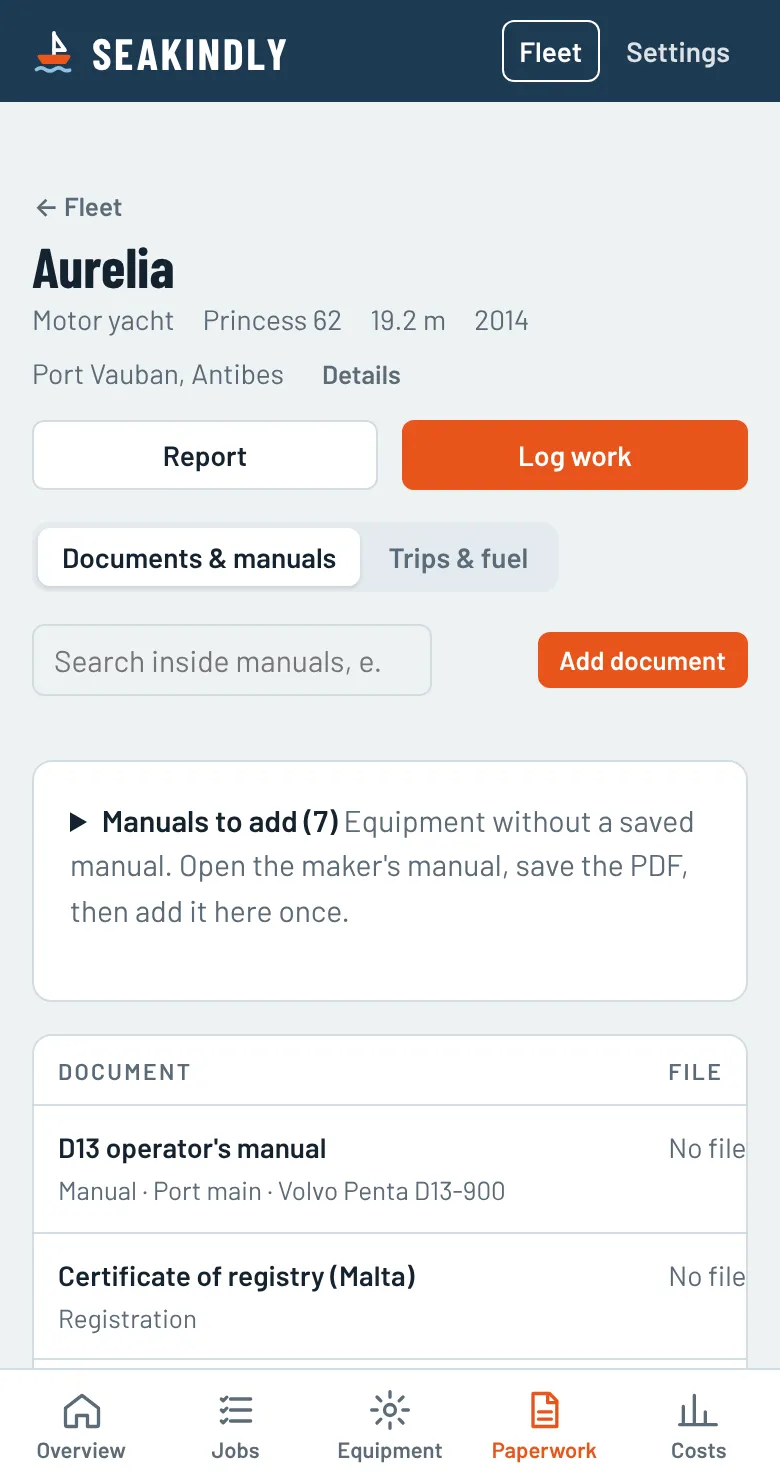
Keep manuals, registration, insurance and receipts with the yacht. Search inside every saved manual at once, even offline, and get a reminder before a certificate or policy expires.
Costs
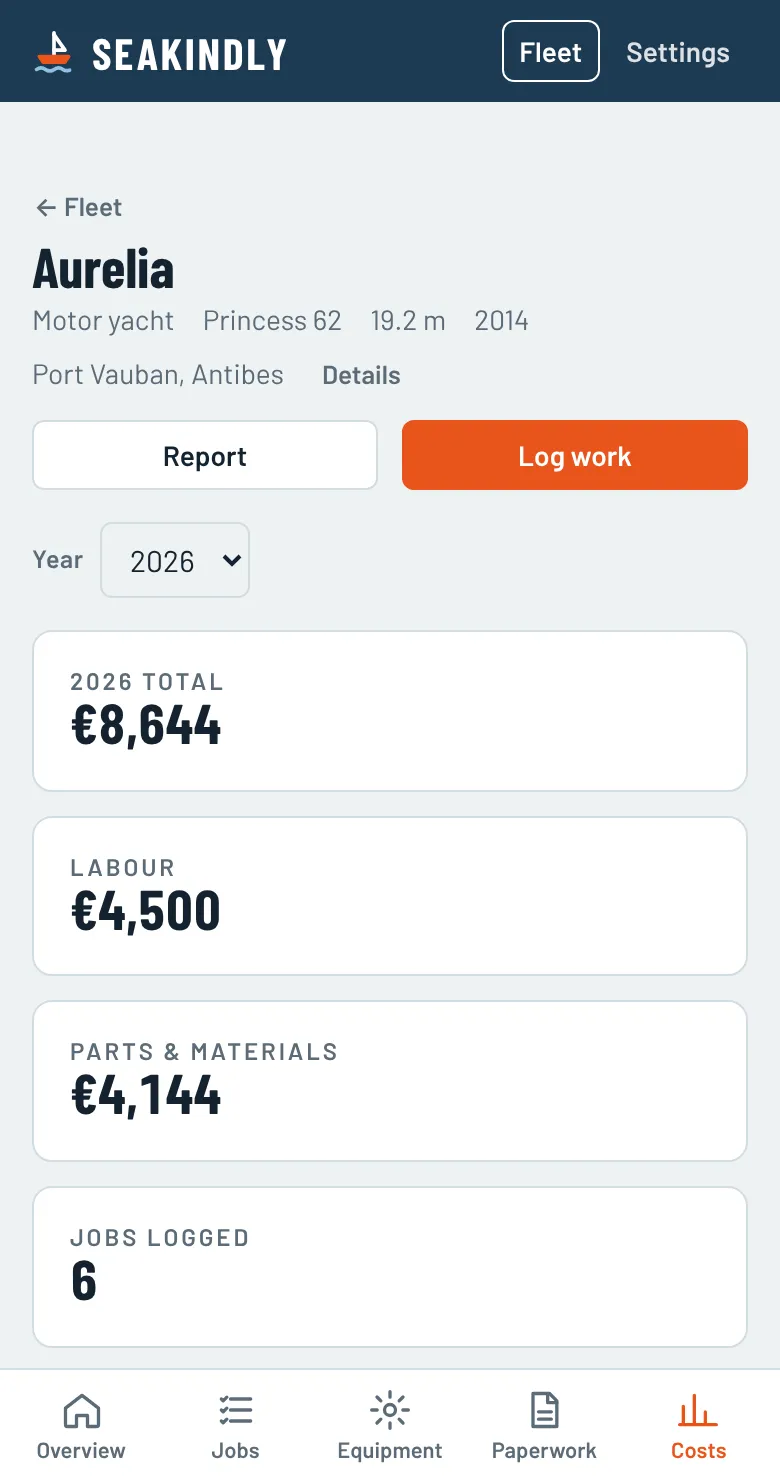
Labour and parts per job add up to totals per system and per year. Set a budget, compare it with what you actually spent, and see a twelve-month forecast based on what each job cost last time.
From the buyer's side of the table
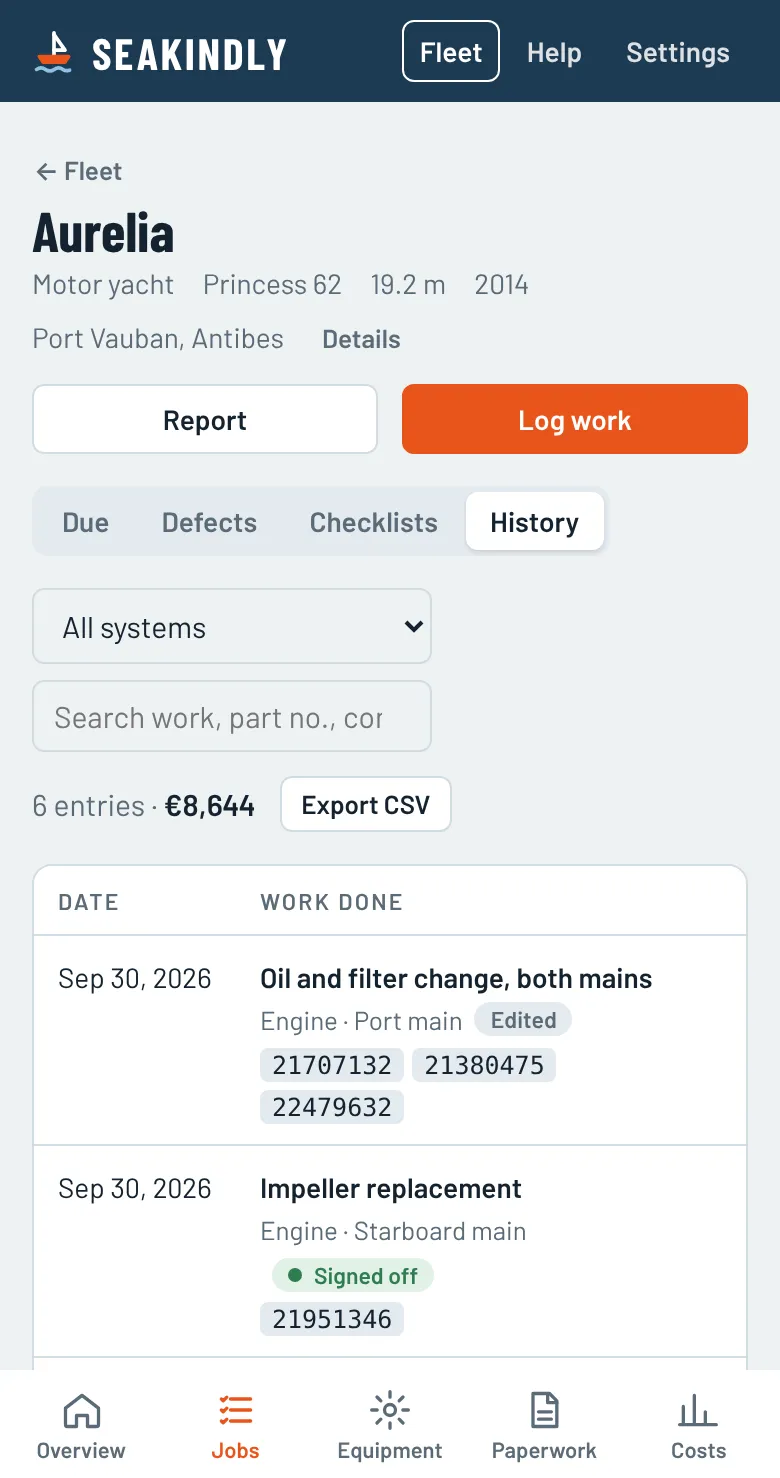
At Voyage & Keel we advise buyers, and one of the first things we ask for on any yacht is her service history. A clear, dated record, confirmed by the people who did the work, answers questions before a surveyor asks them. That is why we built Seakindly, and why the history is at its heart.
The contractor confirms the job and signs with a finger on the yacht's device. The log and the report show who confirmed it.
Each job records who logged it and when. Any later change is noted too, so the record stays honest.
One PDF with specification, equipment, schedule and every job with its parts, with or without costs, and a fingerprint that shows it was not altered after it was made.
When she is sold, the full history, manuals and schedule pass to the new owner. You keep read access for thirty days.
See it in 50 seconds
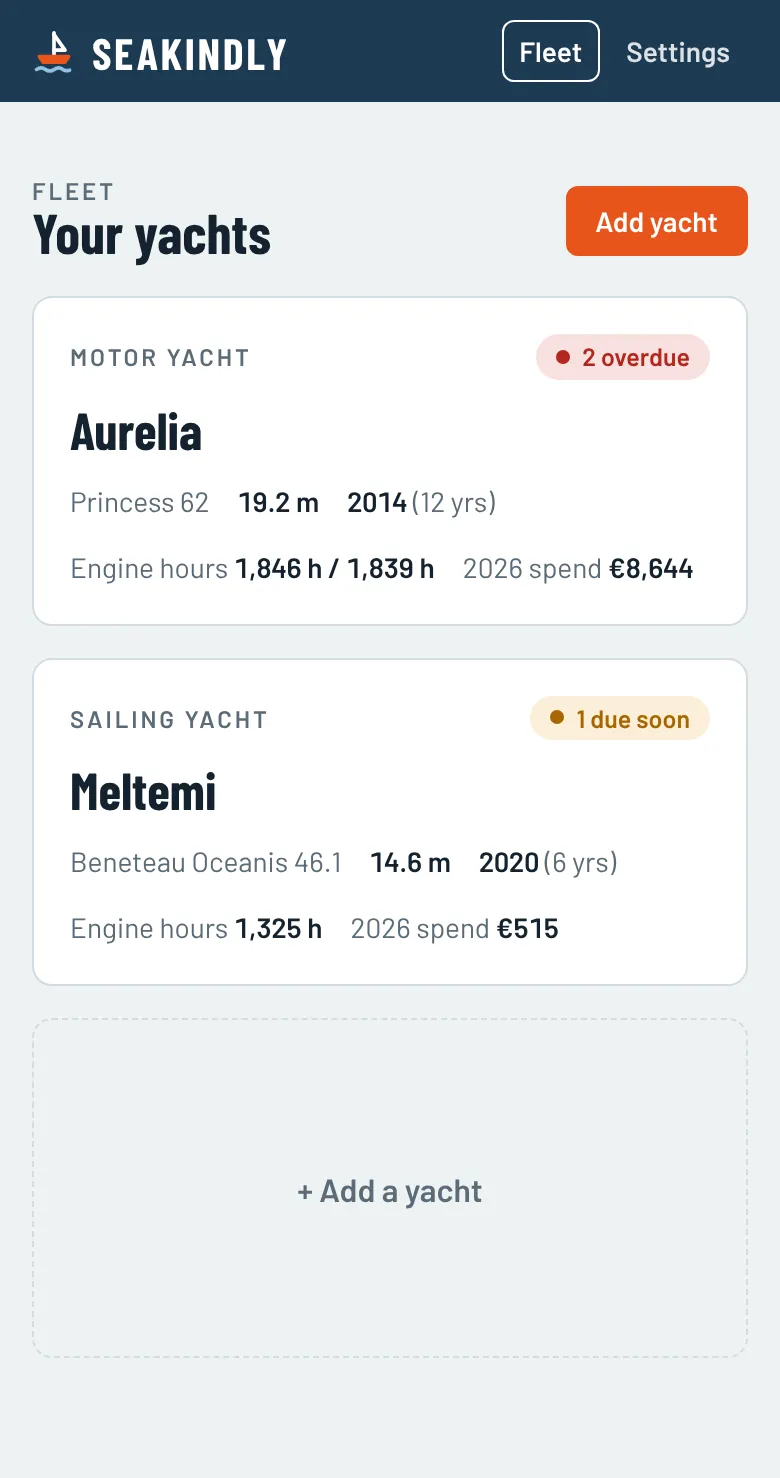
From the fleet list to a yacht's overview, what is due, the parts fitted, defects, surveys and costs. The yachts in the video are the example yachts you will find when you first open the app, so you can try every screen yourself before adding your own.
Try it with the example yachtsAnd also
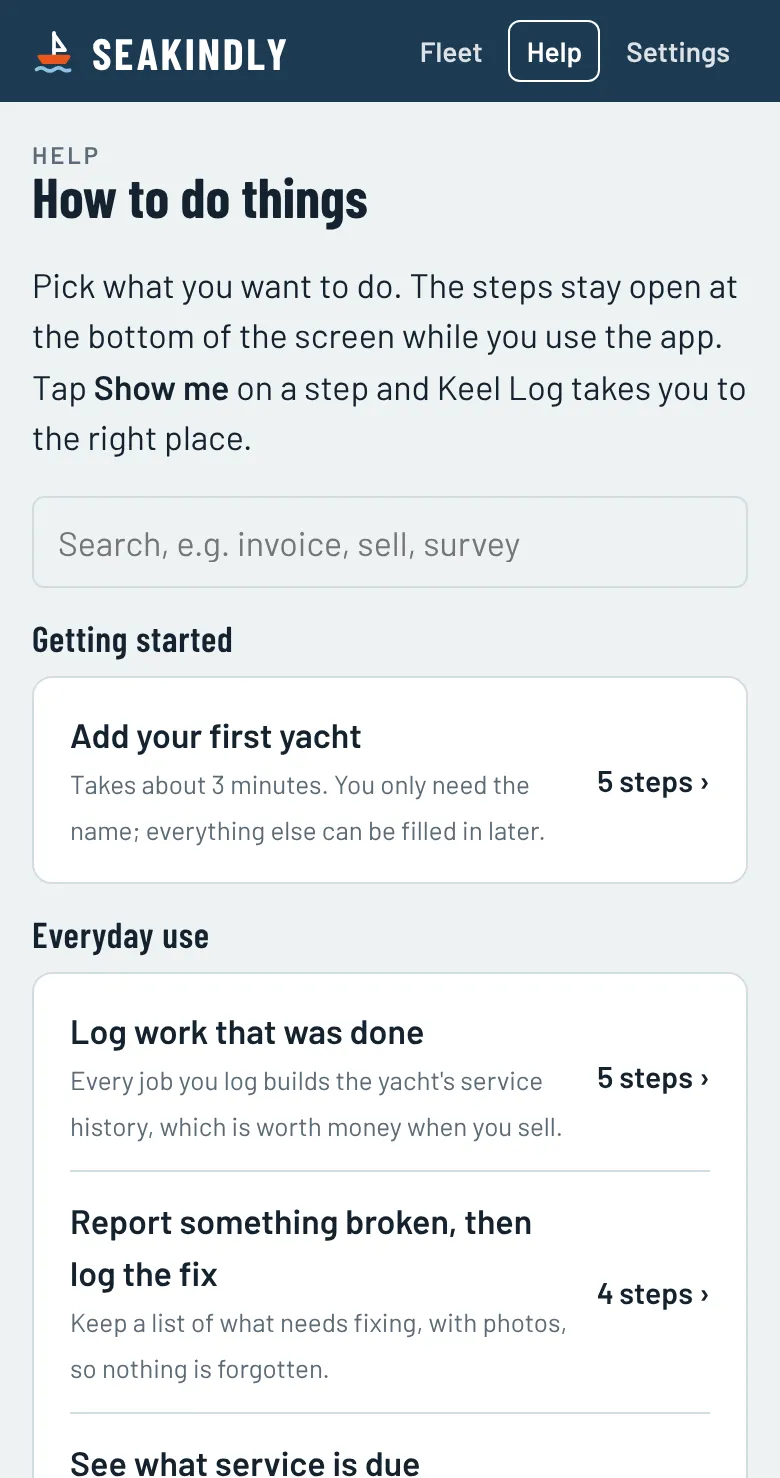
Big, clear buttons and plain words. If you are not sure how to do something, the Help screen walks you through it step by step.
A fleet view with what is overdue on each, for owners, managers and yards.
Keep pre-purchase and insurance surveys with the yacht, findings and all.
Owner, captain, contractor or viewer: each sees what their role allows.
Warranty end dates per item, with a reminder two months before.
On every job, part and spare, kept on the device and in the cloud.
Step-by-step guides with a “Show me” button that takes you to the right screen.
Prices
Seakindly is free while we are in early access. These are the plans we will introduce later, so you know what to expect.
One yacht of your own
€1.99 a month
or €15 a year
Up to 10 yachts, your own and invited. For captains, engineers and contractors
€24 a month
or €190 a year
Up to 25 yachts, your own and invited
€49 a month
or €490 a year
Up to 50 yachts, then €2 a month per extra yacht. For yards, charter fleets and managers
€99 a month
or €990 a year
Planned prices in euros. They may still change before launch; if they do, this page shows it first.
Go to app.voyageandkeelyachts.com on your phone, tablet or computer. There is nothing to download. Two example yachts show how it works until you clear them.
A short guided setup: her name, then what is on board (engines, generator, and so on) with make, model and hours. Seakindly suggests a starter schedule for each.
iPhone: Share, then Add to Home Screen. Android: Install app. It then opens like any other app and works without signal.
Sign in with your email to sync between devices and invite your captain or contractor with a link by WhatsApp or email.
Nothing for now. Seakindly is free while we are in early access, with no card to enter. Paid plans will start later, from €1.99 a month or €15 a year for one yacht (all plans are listed above). We will email you at least 30 days before anything changes, you will never be charged automatically, and the first 10 founding members stay free for good.
No. Seakindly works for sailing yachts, catamarans and motor yachts of any size. You add the equipment your yacht actually has, from engines and generators to winches, sails, rigging and the tender.
No. Seakindly runs in the browser on any phone, tablet or computer. On a phone you can add it to the home screen so it opens like an app and works offline.
Yes. Everything is kept on your device and works at sea. When you have a connection again, changes sync to your other devices and to the people you share the yacht with.
On your own device first. Nothing about your yacht leaves it unless you sign in and choose to sync. Synced data is stored on servers in Frankfurt, in the EU, and only the people you invite can see it. You can download everything, or delete your account, at any time.
The owner or captain sends you an invite link. You sign in with your email, and the yacht appears in your list. You can log your work with parts and photos and have it signed off. You see the costs you entered yourself, not the owner's other bills.
In Settings you hand the yacht over to the buyer. When they accept, they become the owner with the full history, documents and schedule, and you keep read-only access for thirty days. That complete record is one of the things buyers and surveyors ask for first.
The app's menus and buttons come in 21 languages, including English, French, Italian, Spanish, German, Dutch, Greek and Croatian, with 24 currencies and metric or imperial units.
Seakindly by Voyage & Keel
Free to start, on any phone, tablet or computer.